Cognitive Efficiency in Complex Roster Systems
A human‑centered redesign of scalable, data‑driven player assignments and team building for youth sports clubs and recreational leagues.
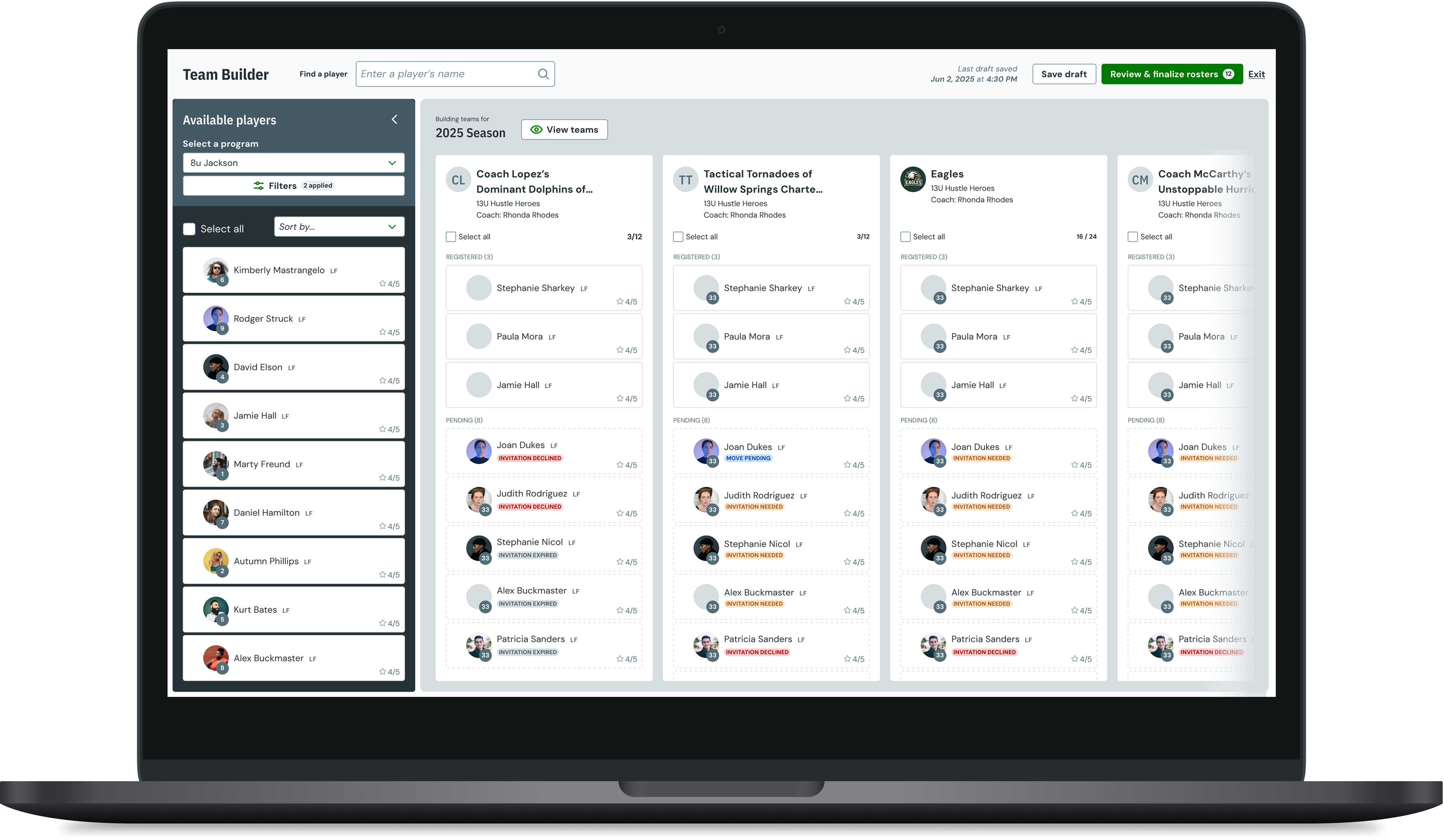
Introduction
In 2024, LeagueApps set out to solve a long-standing operational challenge for its customers: the chaos of team formation. Over 1,600 organizations created leagues on the platform that year, yet most still relied on spreadsheets, sticky notes, and endless manual updates to assign players to teams.
After youth soccer tryouts, club administrators must quickly form teams, notify players, and finalize registrations — often under intense time pressure and with high financial and emotional stakes. This project focused on designing Team Builder: a tool that enables youth sports administrators to assign players to teams after tryouts and manage the downstream consequences of those decisions, including invitations, registrations, and roster changes.
Problem
Core Question
How do we safely reconcile legacy systems, inconsistent program structures, and conflicting user mental models — without creating irreversible mistakes?
Every season feels like triage. Moving players in a spreadsheet, sending invite emails, then praying nobody declines. It's stressful and takes away from coaching.
Club Director
We spend entire weekends placing kids on teams. Parents call, coaches complain, and I'm essentially doing data entry instead of organizing a safe, fun season.
Rec League Administrator
Team Builder needed to operate across two major use cases:
- Recreational leaguesPrioritize balanced team formation and inclusion. Everyone plays.
- Club organizationsPrioritize talent evaluation and selective invites. Only the best make the cut.
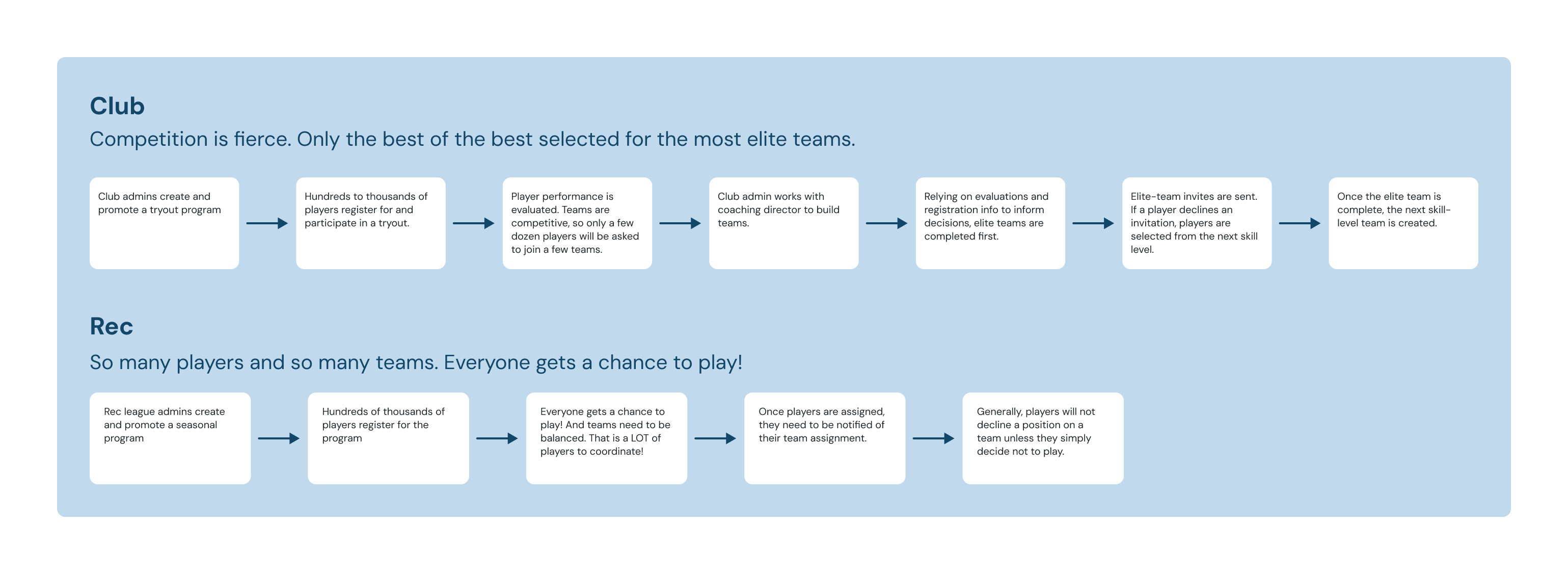
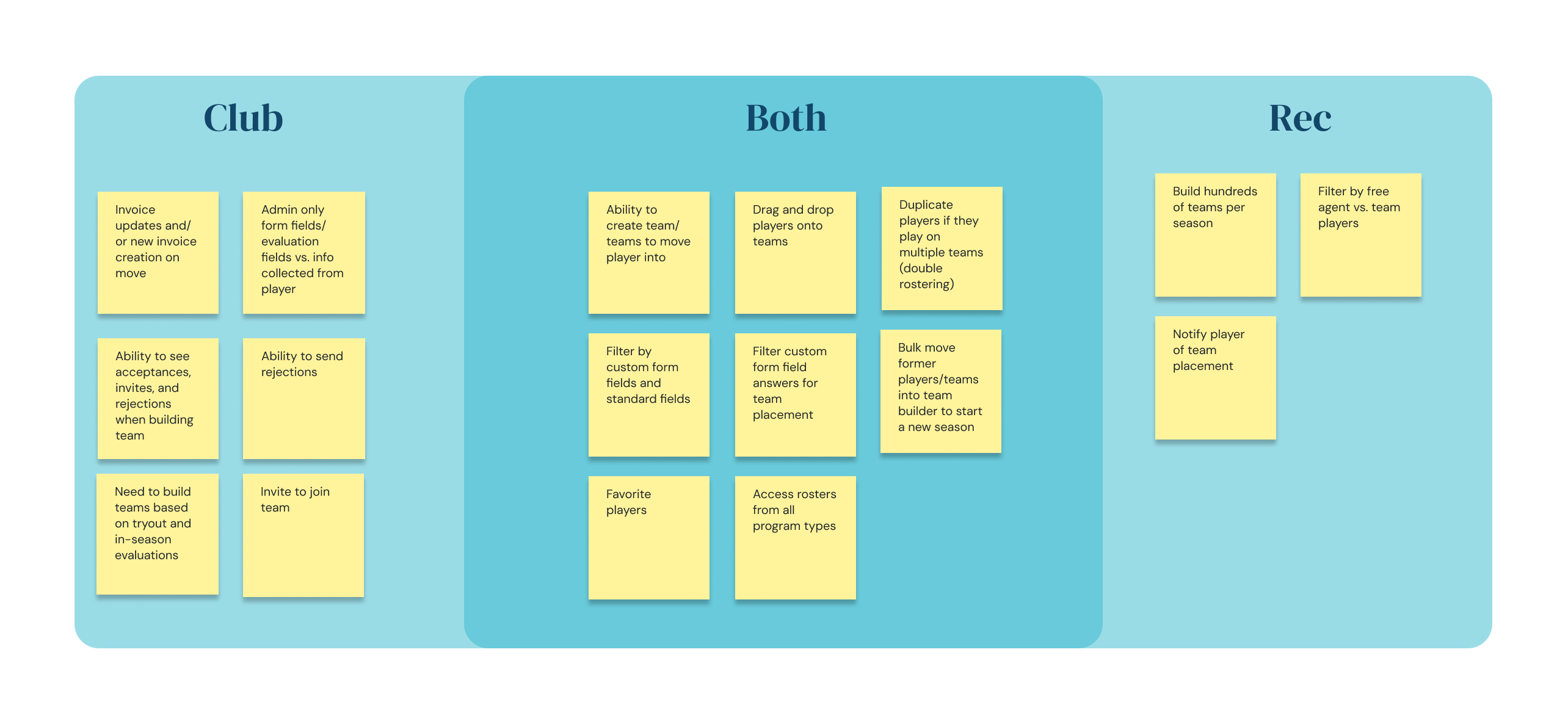
An artifact formed during a workshop comparing the club use case vs. the rec use case.
Both groups shared a critical pain point: LeagueApps' core product lacked a fluid, visual interface for bulk moving players between teams, viewing roster capacities, or filtering players by skill, position, or evaluation metrics.
Internally, the project sat at the intersection of several initiatives — registration, evaluations, and member experience — primarily in the soccer space. Soccer is one of LeagueApps' most profitable verticals, and the lack of a roster-building experience was a major source of customer churn.

Director of Coaching
- See roster gaps at a glance
- Balance teams by skill/age
- Bulk moves without data loss
- Trust an audit trail / history

Program Admin
- Bulk select + drag to teams
- Filter by payment/waiver status
- Resolve conflicts quickly
- Export clean rosters

Head Coach
- Player notes visible
- Simple swaps post-draft
- Mobile-friendly view
- Change notifications

League Ops
- Copy/move with history kept
- Avoid duplicates
- Cross-program visibility
- Clear permissions model
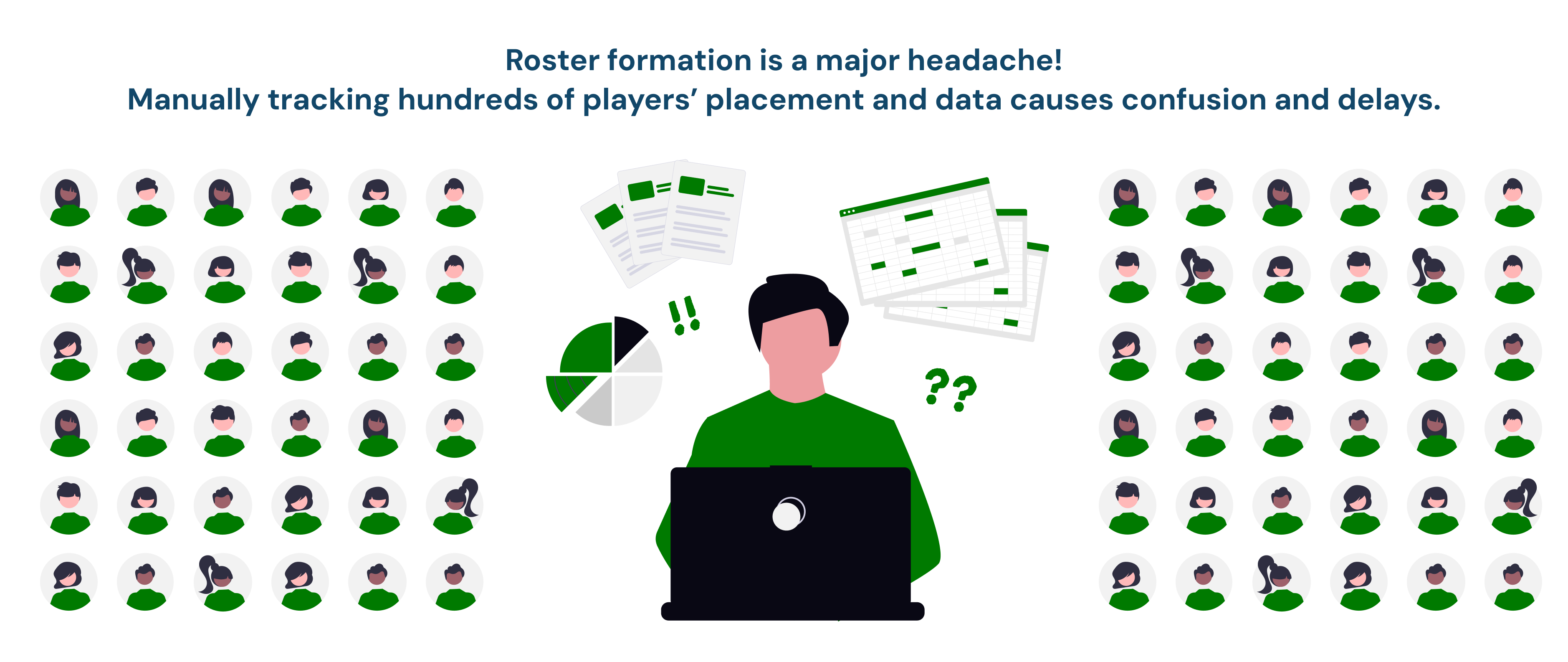
Admins are making decisions that can trigger registration invitations, cancel existing registrations, invalidate previously sent invites, and affect payments, invoices, and player expectations. The core problem was not "how do we move players" — but how do we give admins speed and flexibility without letting them accidentally cause irreversible outcomes they don't fully understand?
The original roster management workflow had five critical gaps:
- No visual overview of all teams and players simultaneously
- Rosters could only be built one at a time
- Fragmented visibility into custom form data (coach preference, school, teammate requests)
- Manual roster uploads done in spreadsheets outside the platform
- No safeguard against duplicate players or overfilled rosters
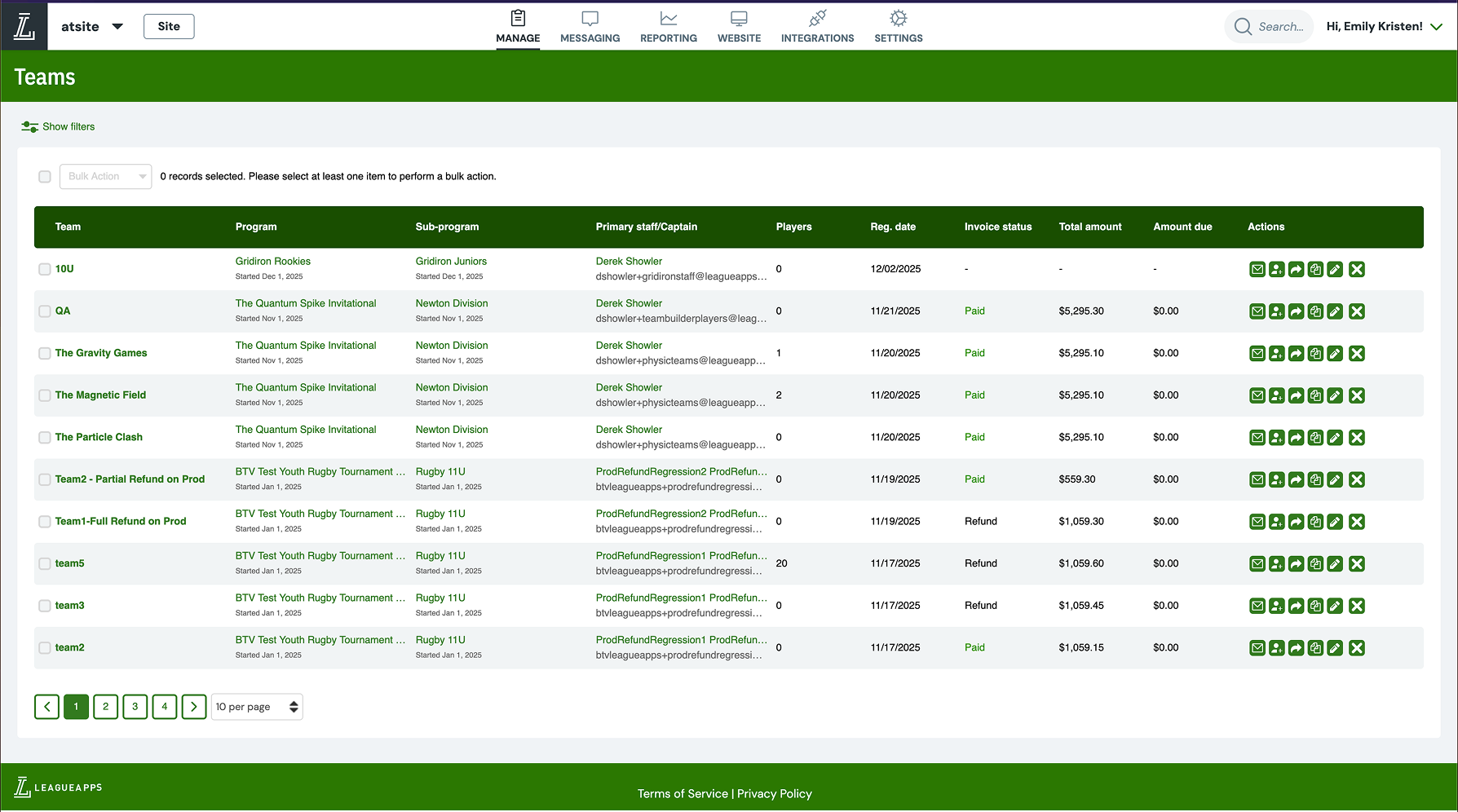
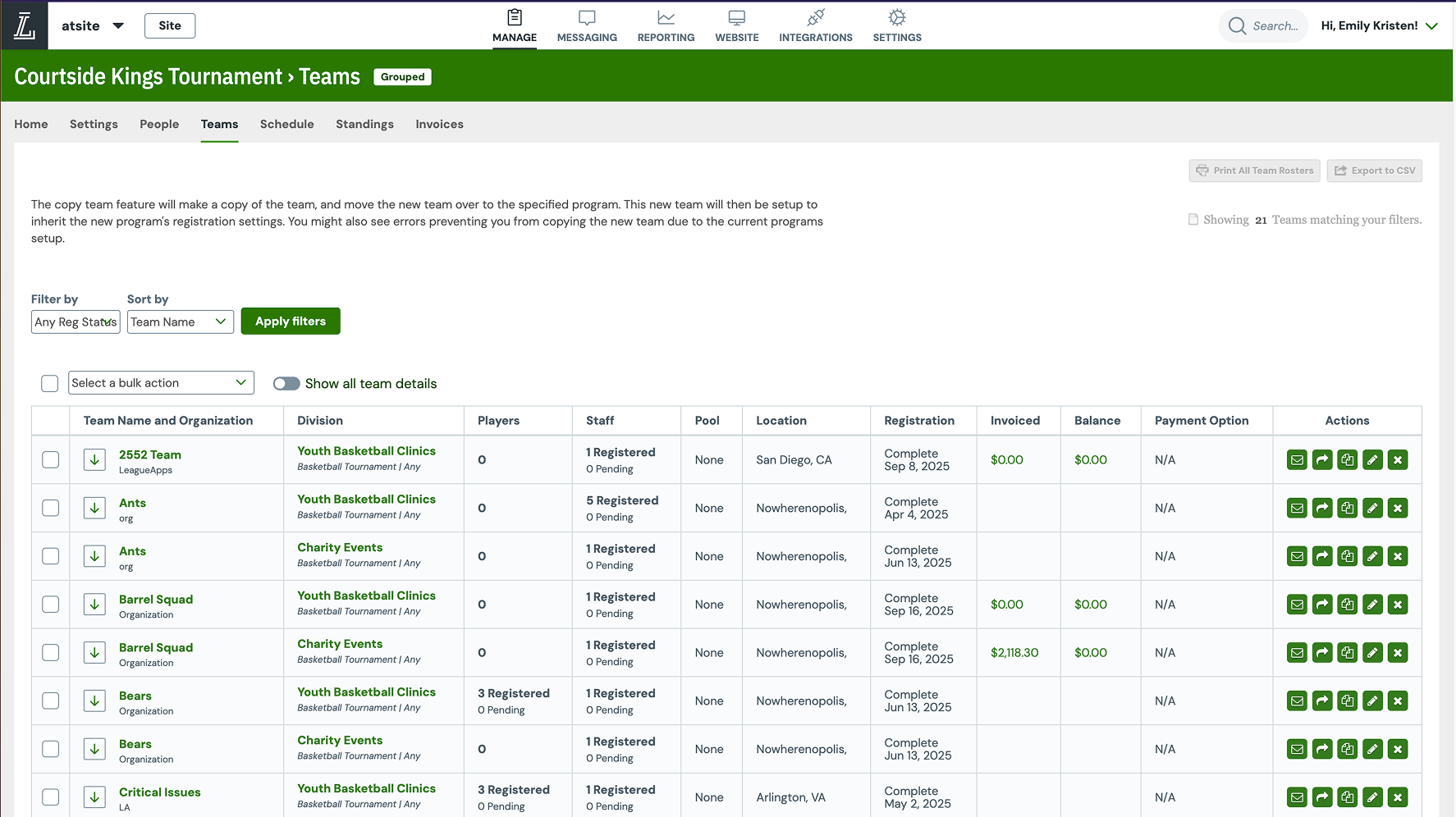
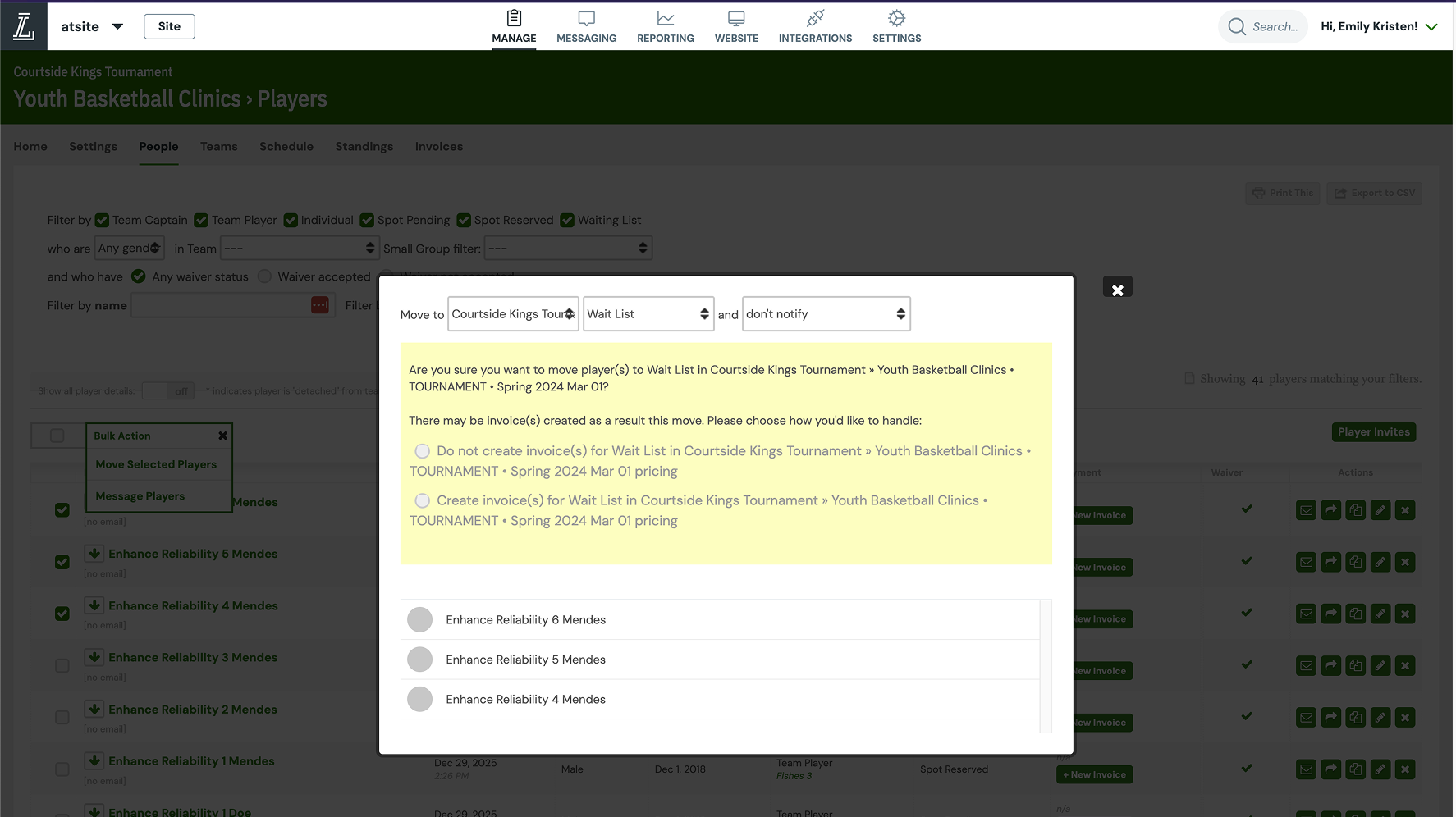
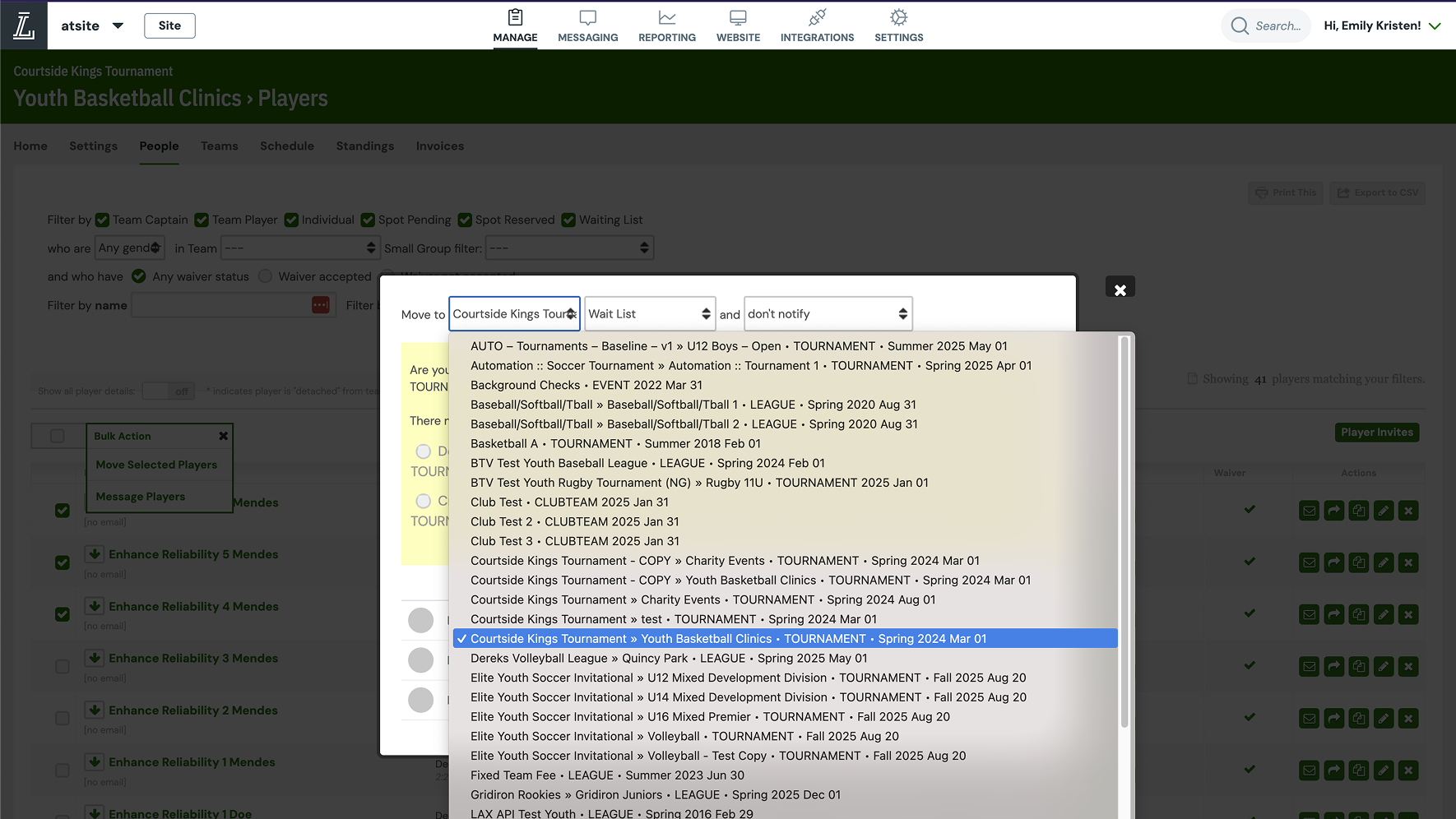
The original workflow for assigning players to teams. Left to right: 1) Site-wide global teams list, 2) Program-specific teams list, 3) Players within a single team, 4) Destination programs list. Fragmented visibility, no custom form data, no safeguards.
Key Constraints & System Reality
This was not a greenfield redesign. The solution had to coexist with significant constraints:
- Invite-to-Join is a legacy system used across the platform and could not be re-architected for this project
- Team Builder operates in a draft state, while Invite-to-Join assumes finalized actions
- Some invitation states (e.g., "Invite Needed") exist only in Team Builder and are not visible in the OG invite tool
- Clubs structure programs differently — some use subprograms as age groups with multiple teams, others use subprograms as individual teams
- The same player may exist across multiple programs or subprograms simultaneously
Many "obvious" UX proposals — like a single unified invite manager or universal undo — were intentionally deferred to avoid introducing technical risk or misleading users about what actions were truly reversible.

Mapping the original invitation experience alongside key stakeholders to understand friction points.
Process
Design Philosophies
Defining the key mental models. Through discovery and ongoing feedback, it became clear that admins approach roster building with different mental models — often within the same session:
- "I'm just rearranging players on teams."
- "I'm assigning players but will invite them later."
- "I'm finalizing rosters and sending offers now."
The system, however, must distinguish between moves (same-program changes), invites (cross-program actions), and draft assignments vs. committed actions. A major design goal was to make the system's interpretation of admin intent visible and predictable — without forcing admins to think in system terms.
Defining the MVP. I collaborated with my product manager and engineering manager to phase the rollout:
Phase 1 · MVP
Recreational League Roster Formation
- Launch directly from the program dashboard
- Drag-and-drop players between multiple teams
- View roster capacities and duplicate warnings inline
- Filter by custom form responses
Phase 2
Club-Level Team Management
- Create new teams from scratch
- Import players from past seasons
- Invite players to join new teams
- Autofill rosters using AI suggestions and bulk messaging
Key Design Decisions & Tradeoffs
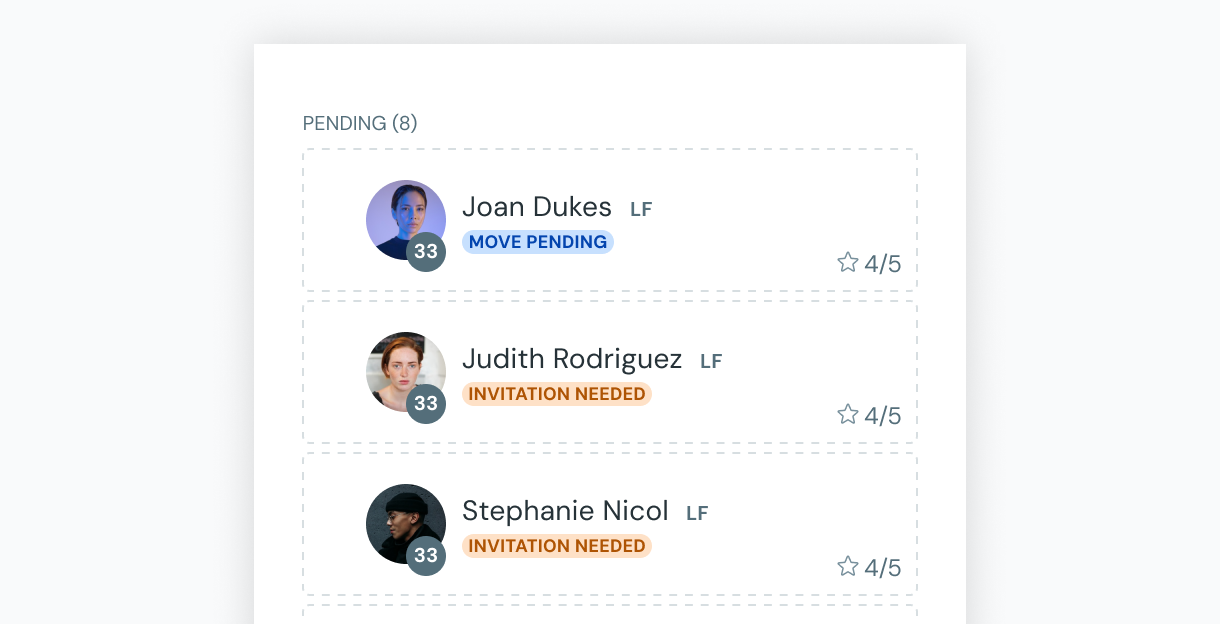
Auto-detect "Move" vs. "Invite"
Why
Admins should not have to decide the technical difference between moving a registration and inviting a player.
Tradeoff
Required extremely clear status indicators and review steps so admins understood the consequences of each assignment.
Draft-first, irreversible-last
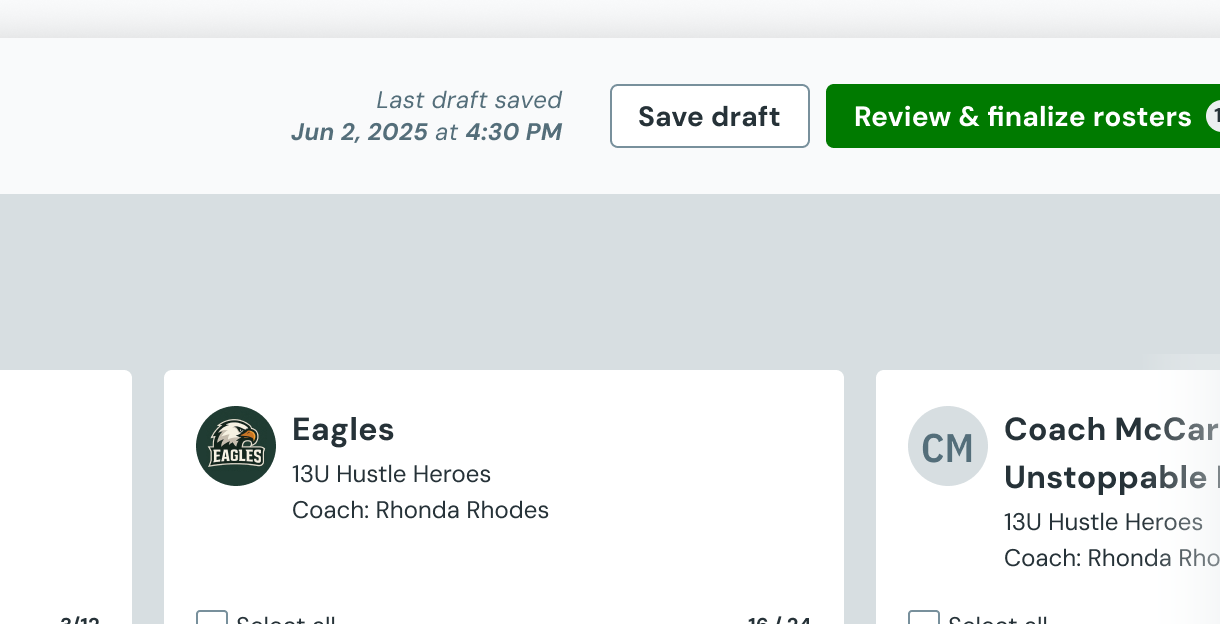
Why
Roster formation is iterative, and premature execution would cause confusion and player churn.
Tradeoff
Created complexity in how draft states interact with the legacy Invite-to-Join tool, which does not support drafts.
Review actions in a slide-out, not inline
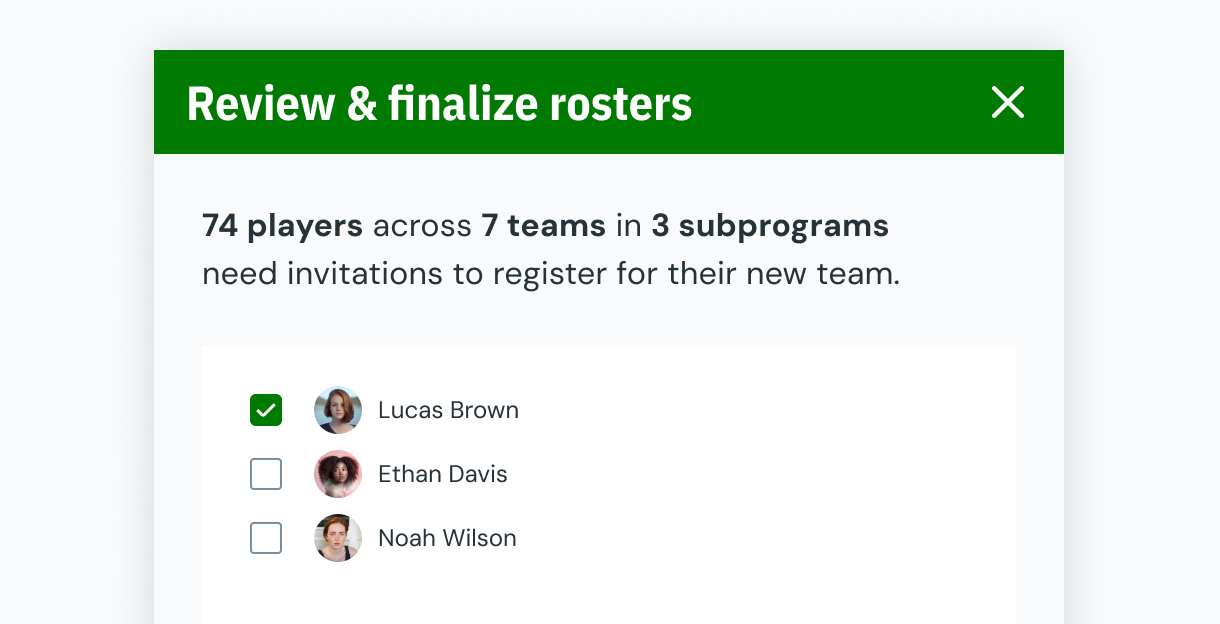
Why
Inline warnings would overwhelm the primary task and interrupt flow.
Tradeoff
Had to carefully communicate that some actions (like revoking an invite) still have immediate consequences even from the review surface.
No inline undo in the review surface
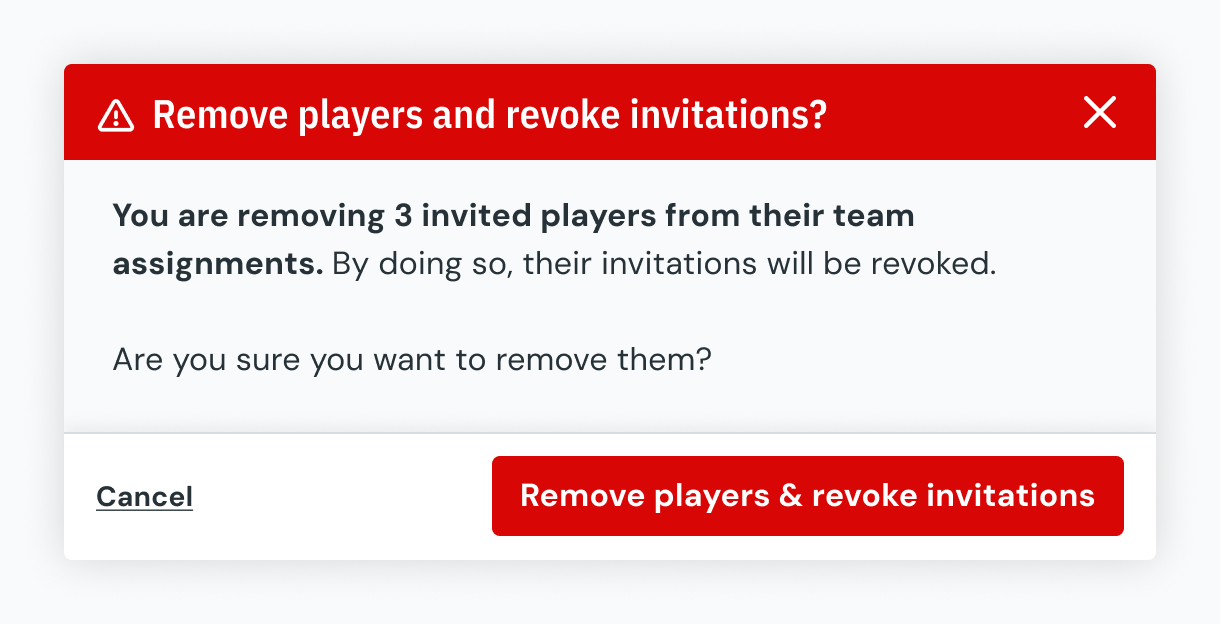
Why
Undoing actions at the review stage risks obscuring the true system state, especially when registrations or invitations are involved.
Tradeoff
Slightly higher friction, but significantly reduced risk of silent errors. Admins must correct mistakes directly in Team Builder.
Invitation Lifecycle & Guardrails. To reduce ambiguity, players in Team Builder clearly surface one of several states:
- Automatic invalidation of invitations when players are reassigned
- Visual warnings when actions will revoke invites or cancel registrations
- Clear separation between draft assignments and sent invitations
This approach prioritizes transparency over cleverness — ensuring admins understand what the system will do before it happens.
Collaboration & Implementation. We maintained a cadence of biweekly feedback sessions tailored to different audiences: design, engineering, customer success, and leadership. A key internal debate emerged around the default state of Team Builder: should users start with an empty interface or a populated set of teams?
I facilitated a journey mapping exercise that revealed admins typically created teams before entering Team Builder. This led to the final decision: display the ten most recently created teams by default, giving Rec admin users immediate context without overwhelming them. Club programs only ever created 3–5 teams, so they'd only see what they needed.
Engineering collaboration was close and constant. We conducted "boxing" sessions to create detailed mappings of design elements to backend APIs, annotating every prototype for handoff. Auto-save wasn't feasible for MVP, so I introduced a destructive modal to prevent accidental data loss when navigating away — and proposed auto-save as a fast-follow enhancement.
Outcome
The final Team Builder experience allows admins to view and filter available players across programs, assign players to teams via drag-and-drop, see immediate status feedback (move vs. invite needed), review pending actions in a dedicated slide-out, send invitations in a controlled and intentional way, and manage sent invitations — resend or revoke — without losing context.
Crucially, it does this without attempting to replace the legacy Invite-to-Join tool, instead carefully defining the boundary between draft planning and finalized execution.
Customer Feedback
I love that I can filter on key data, like the player's experience level and what days they're available for practice.
Soccer League Administrator
This has saved me hours and maybe days of time. Being able to see all my top teams at once is a game changer.
Data Administrator
Spreadsheets are redundant and tedious. Your previous move workflow was time-consuming. With this tool, I can filter by date of birth, skill level, and other custom fields. I love it!
League Executive
Critical feedback surfaced important future work:
Filtering and viewing member profile fields like birthdate and position need to be standard — they aren't always included as custom form fields.
User feedback — signals need for standard field visibility
Customers use custom form fields in unpredictable ways, including to sign off on waivers — resulting in cumbersome filtering experiences.
User feedback — signals need to address waiver management
We limited open-response filters to one entry at a time for performance. Parents spelling their child's school name differently broke multi-entry filtering.
User feedback — signals need for guardrails on custom form field usage
Reflection
What We Deferred
- Full unification of Invite-to-Join and Team Builder
- Multi-admin real-time collaboration
- Advanced invitation automation (templates, reminders, expiration rules)
- Each requires deeper architectural and permission-level changes
What I'd Do Next
- Design a unified invitation manager shared across Team Builder and OG flows
- Explore granular Team Builder permissions (view-only, invite-disabled)
- Improve visibility into invitation history across seasons
- Address concurrency and collaboration for large clubs
Impact & Learnings
- Design for system truth, not just user intent
- Make irreversible actions explicit
- Treat drafts as a first-class UX concept
- Surface constraints rather than hiding them
What Emerged
- Powerful tools naturally attract new personas
- Product maturity reveals permission and scope questions not initially visible
- The most valuable design work often happens in the seams between systems